The launch your family can see becomes your kid's next mission.
Countdown Cadets is an app for kids 7 to 10 and the grown-ups who set it up. Here is what it does, screen by screen. It isn't in the app stores yet.
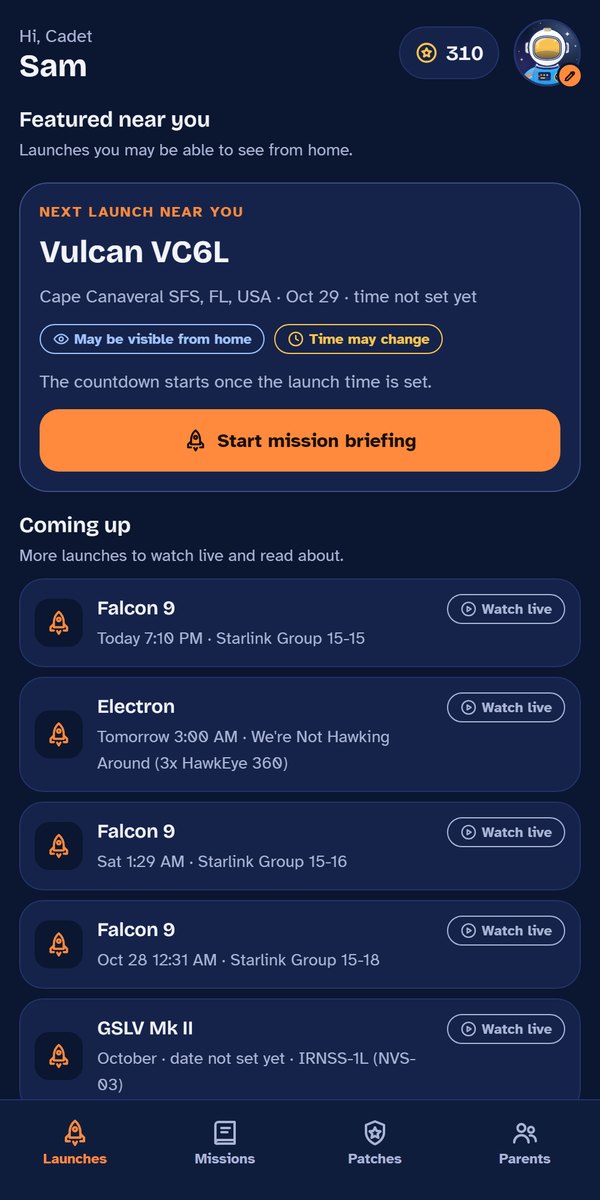
Launches near you come first.
A grown-up enters the family's ZIP code once. The app checks the distance to the launch pads at Cape Canaveral and puts launches that may be visible from home at the top. Everything else is listed below, to watch live and read about.
The ZIP code is looked up inside the app and never sent anywhere. Launch times move often, so a launch without a set time says so instead of showing a countdown.
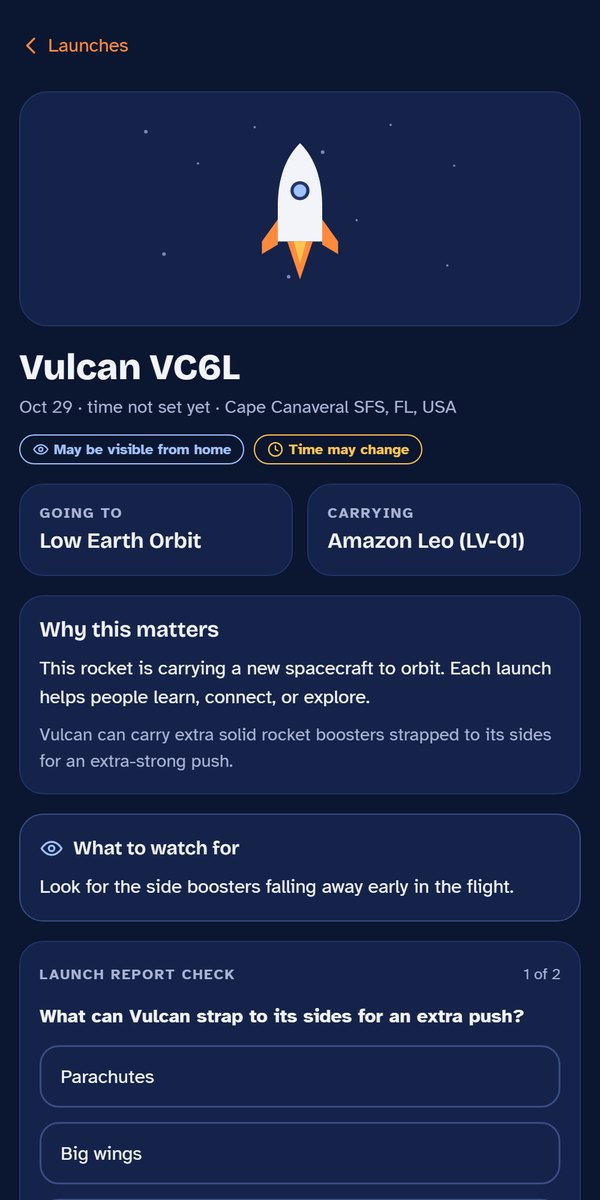
Every launch comes with a briefing.
Where the rocket is going, what it is carrying and why that matters, in words a 7 to 10 year old reads on their own. Then what to watch for in the sky, and short launch report questions.
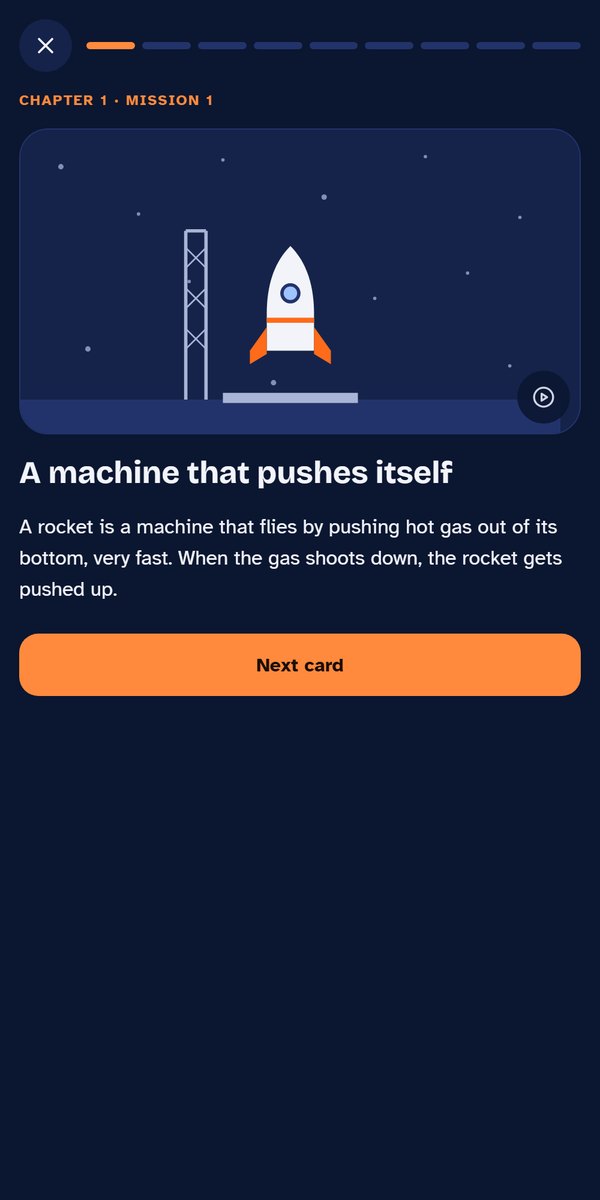
Short missions with quick checks.
Each mission is a few cards with pictures and some animations, quick questions along the way, a short activity and a mission review at the end. A mission takes about 8 to 10 minutes in the app.
Every mission also has a "Mission at home" activity with a printable worksheet, mostly away from the screen.
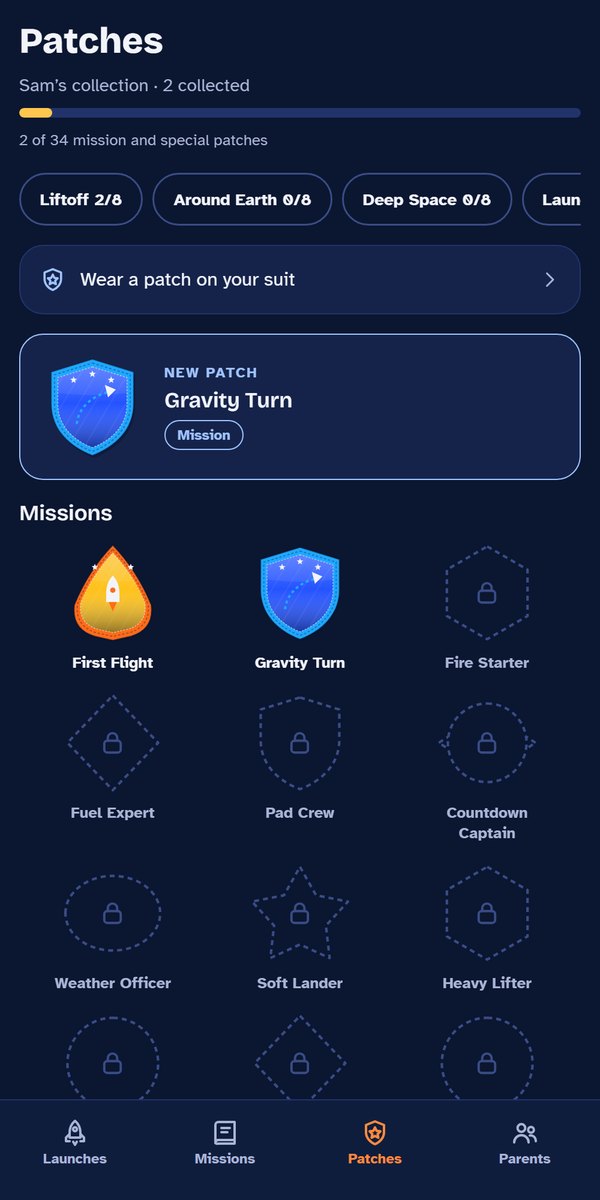
Every finished mission earns a patch.
Real missions have patches, and so do cadets. Each patch has its own shape and story. Patches come in sets, and some are rare. More about patches and rewards.
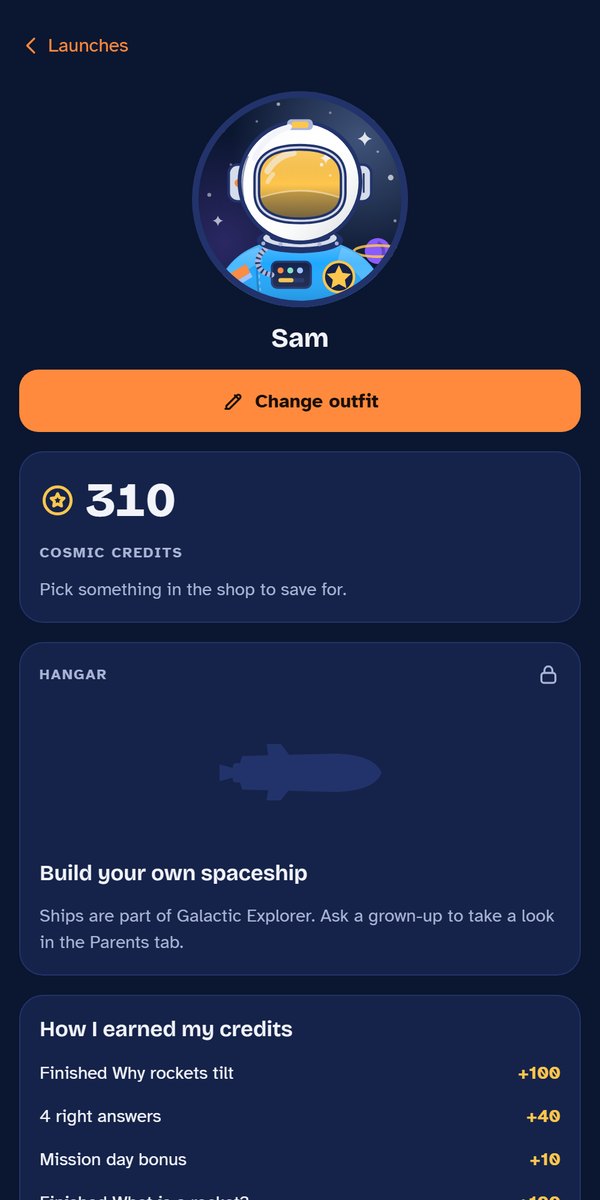
A cadet that looks like your kid.
Kids build their own cadet from ready-made parts: skin tone, hair, glasses, suit and helmet. Looking like yourself is always free. Cosmic Credits from missions buy extra outfits.
There is no photo upload and no typing a name into the character, on purpose.
A parent area behind your own passcode.
During setup, a grown-up picks a 4-digit passcode. It locks the Parents area, the printables and adding a kid. It locks again when a kid tab is tapped or the app is closed.
In the Parents area you see what each child finished and when, print worksheets and chapter certificates, and choose launch alerts.
- 01
No ads
Not in the free version, not anywhere.
- 02
Nothing to buy on a kid's screen
Anything about the membership sits in the Parents area, behind the passcode. Cosmic Credits are earned in missions and can't be bought with money.
- 03
No accounts for kids
A kid profile is a first name or nickname and an age range. The app keeps progress on the device. More in the privacy policy.
Be the first to try it.
The app isn't in the app stores yet. Sign up and get the free Launch Night watch sheet now, plus one email when the app is ready for families to try.